

Card Account
Business Accounts
Other Accounts
Help & Support
Personal Cards
Business Cards
Corporate Solutions
Gift Cards
Online Travel
Travel Resources
All Insurance
Insure My Travels
Merchants
Business Cards
Corporate Solutions
Global Network
Help & Support

-

Home
Return to options to Take the Tour or Explore on Your Own.
-
Home Page
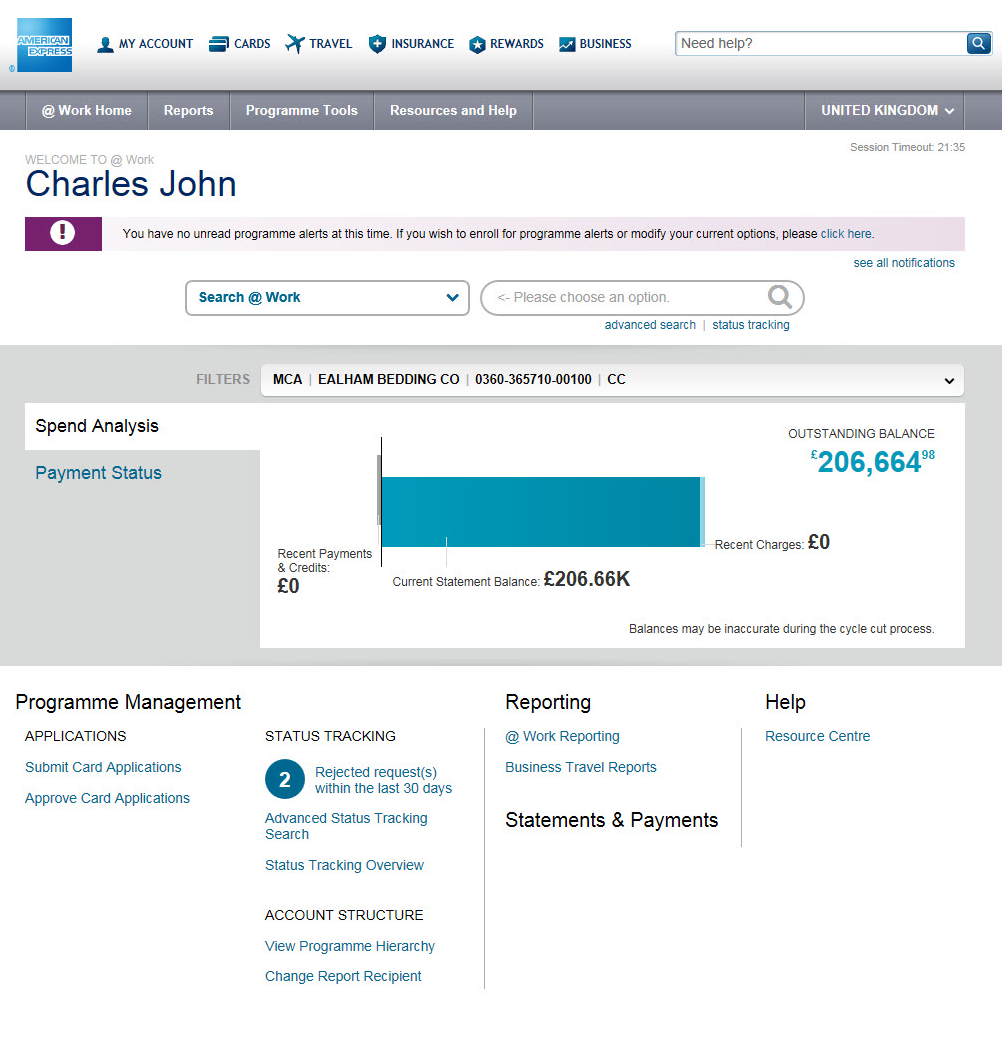
The @ Work landing page with interactive dashboards, search, and dynamic links.
-
Programme Alerts
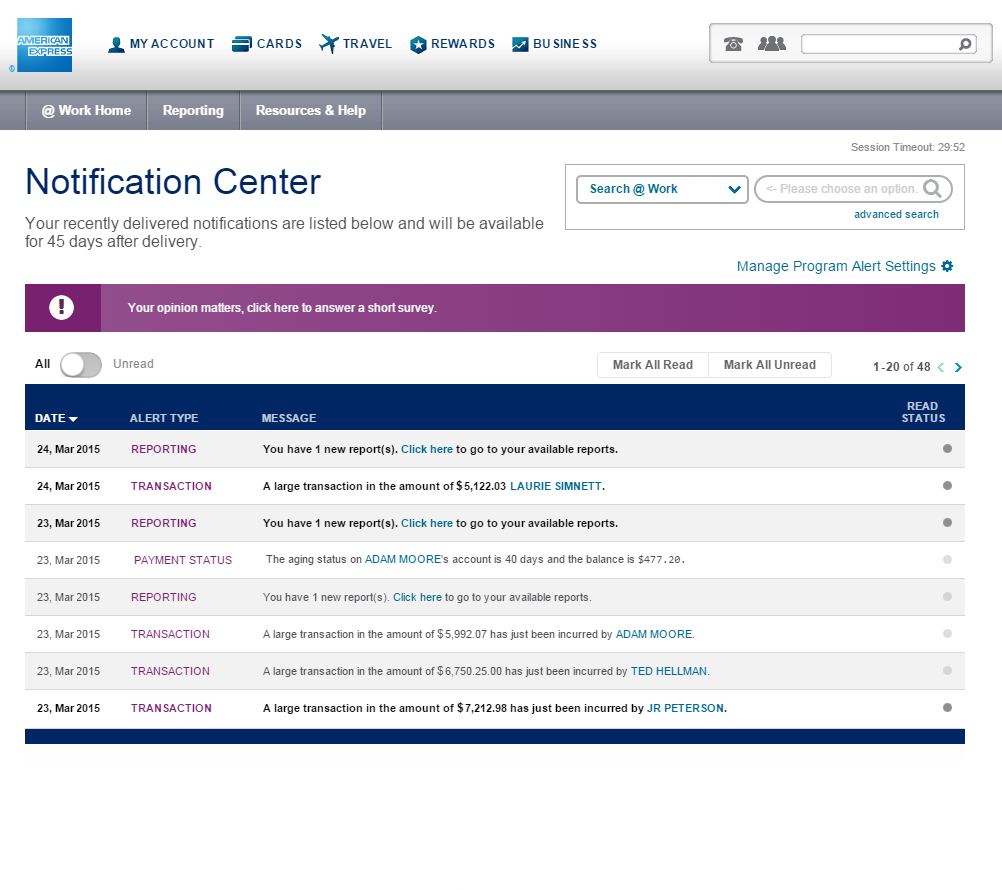
View new, unread alerts.
-
Search Results Page
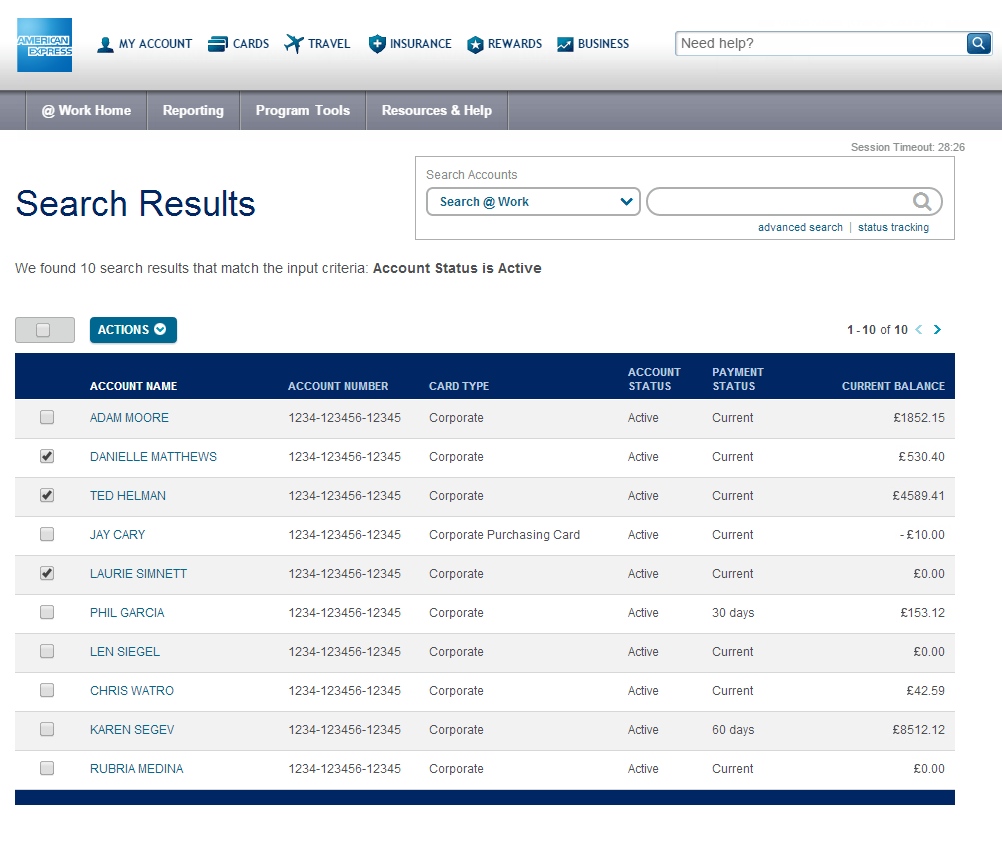
View an actionable list of relevant accounts form a basic or advanced search.
-
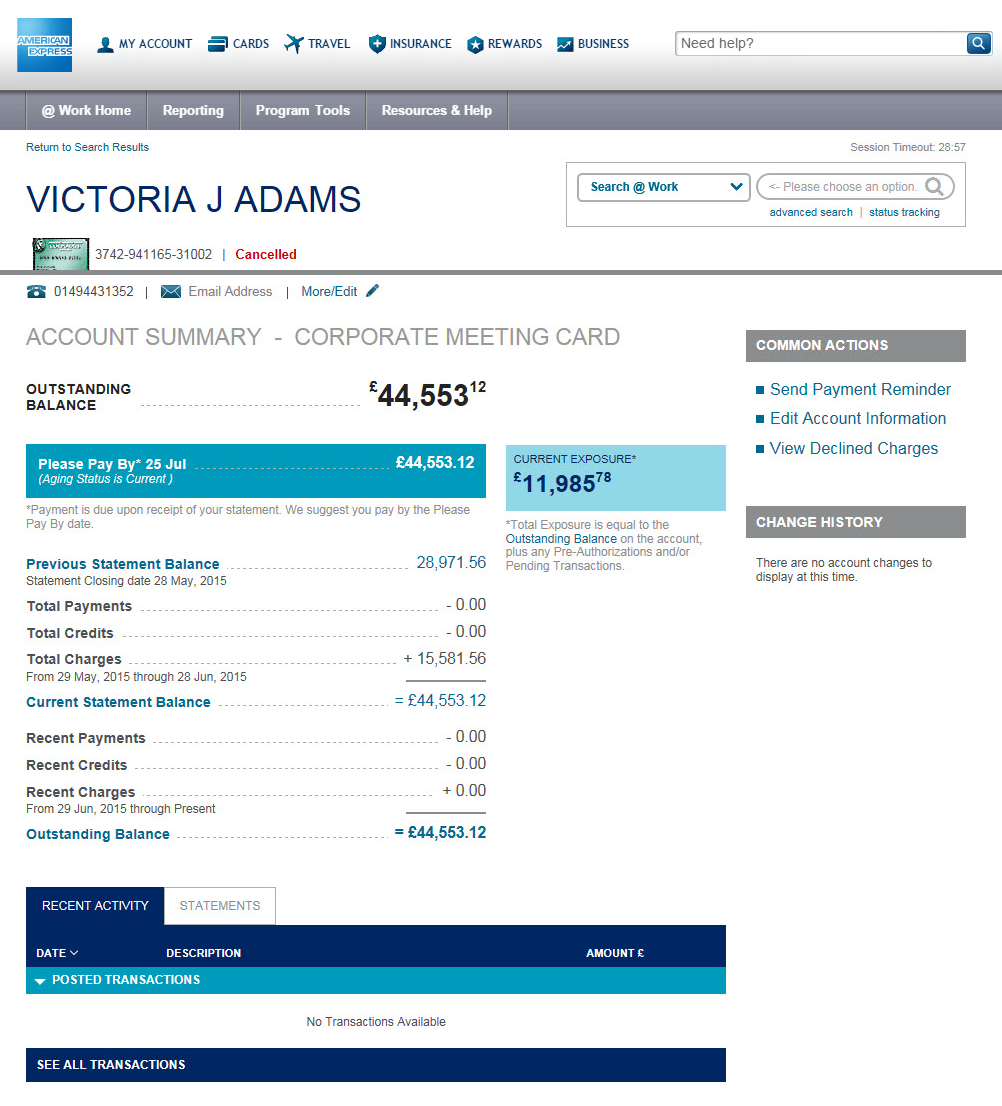
Account Summary Page
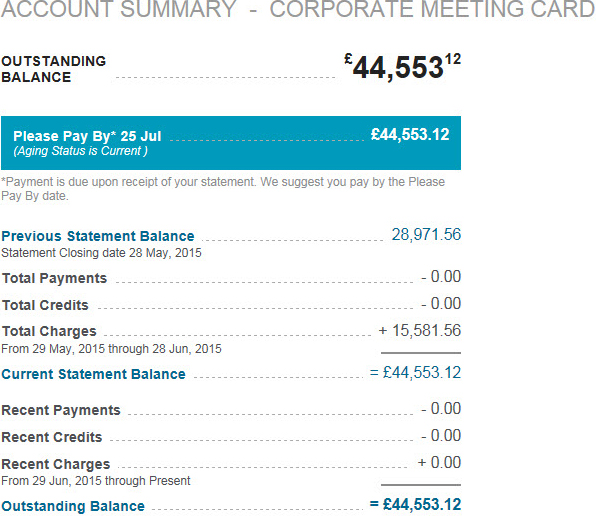
View key Card Member account information with new and enhanced features to manage the account.
Welcome to the Transformed American Express @ Work®
We are on a journey to give you best-in-class digital solutions to manage your Corporate Card Programme.
Click "Take the Tour" to launch a guided tour of the upcoming @ Work changes, or explore on your own.
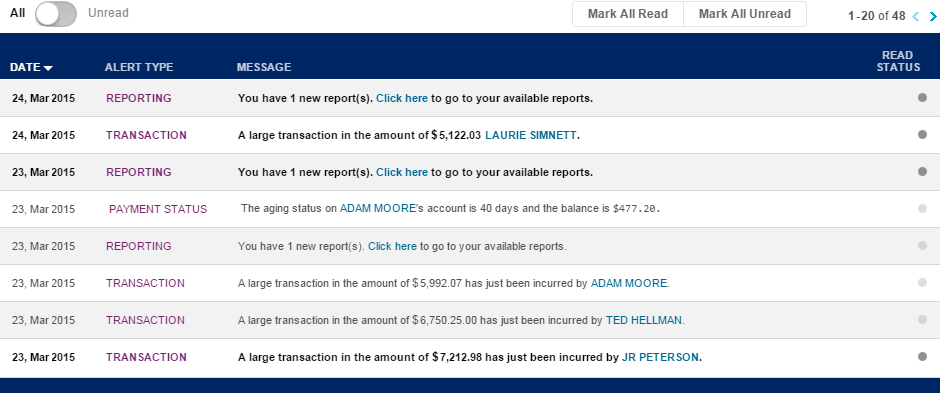
 Once subscribed, new, unread alerts will be displayed on the Home Page so that you don’t miss important Card programme activity.
 Select More to view up to five alerts on the Home Page.
 See All Notifications takes you to the Notification Centre where all notifications are posted.



 Choose a control account within your permissions, at the MCA, ICA or BCA level, to filter the infographs below.
 New Spend Analysis infograph shows an at-a-glance view of programme spend in a given control account, with a quick link to make a payment.
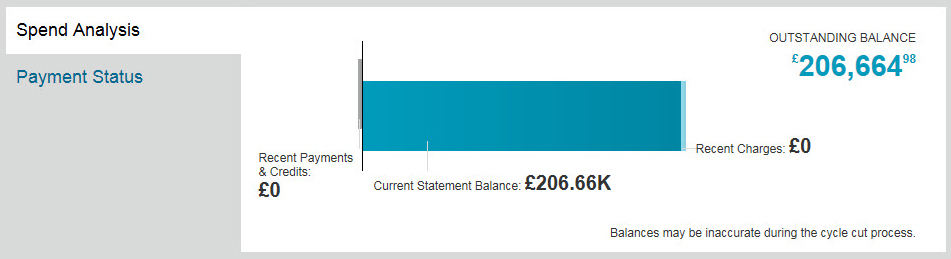
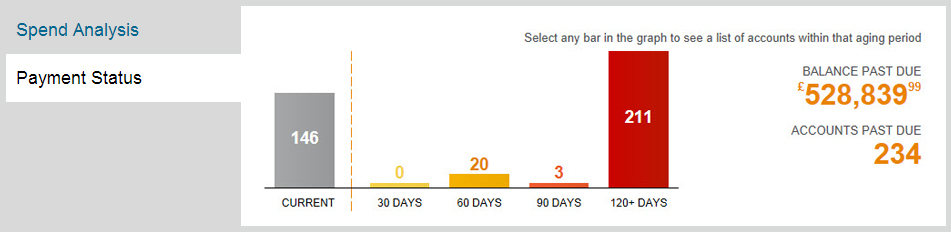
 Use the tabs to toggle between infographs. The new Payment Status infograph shows the number of past due accounts and the total past due balance for the selected control account.
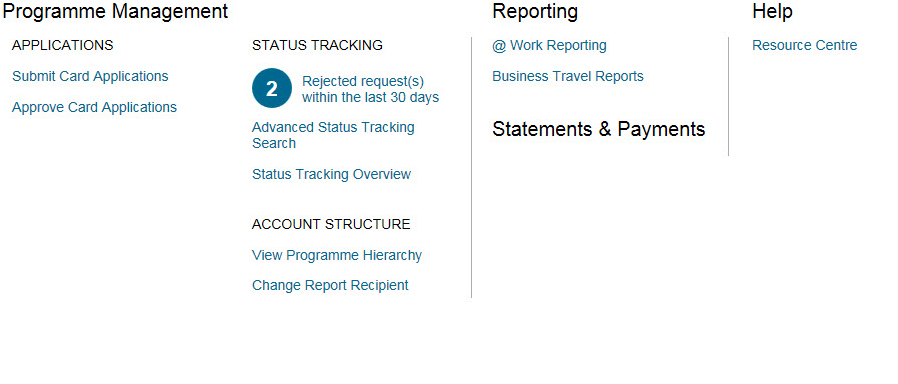
 Links are streamlined to provide quick access to the information you need, based on your permissions and availability in your country.
 New undo buttons will return any entered values to the original values.
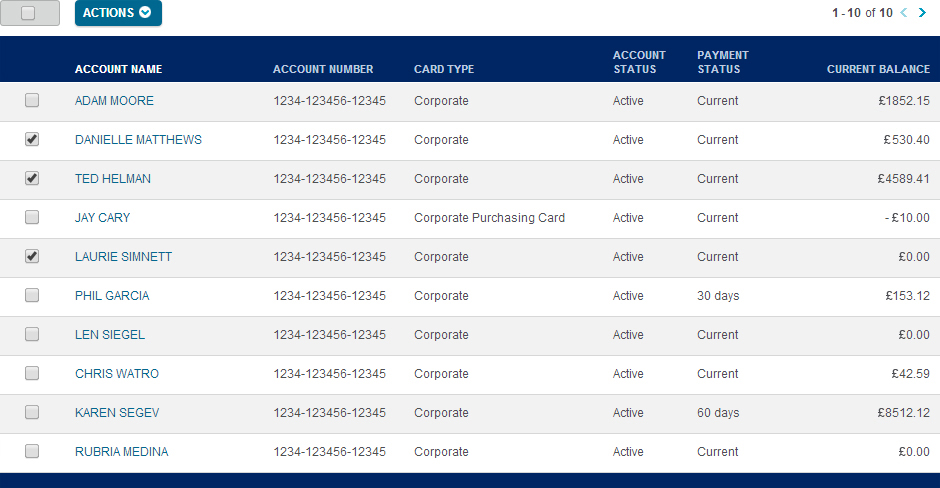
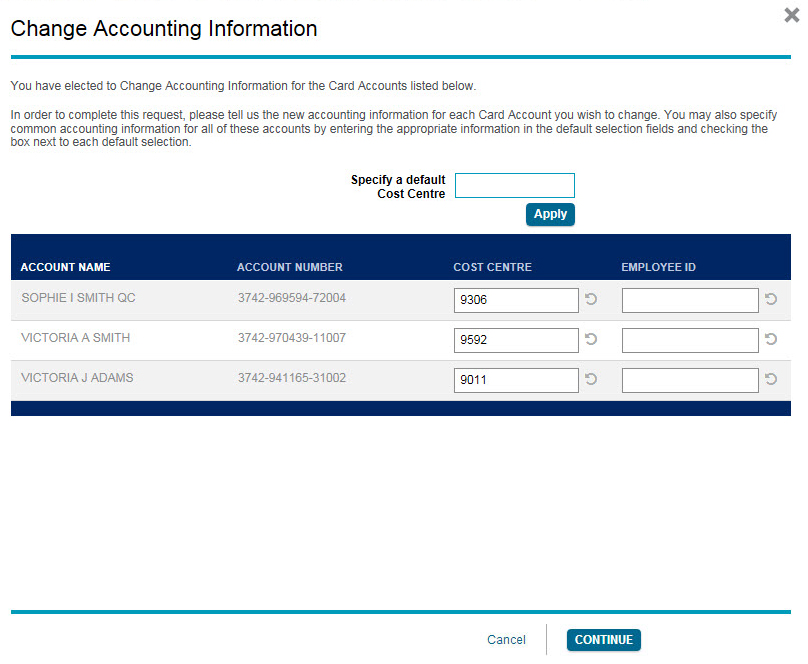 Mass maintenance functions are now in near real-time. To complete mass cancel or mass accounting information changes, select the Card Accounts you wish to update and then click Actions. Or, click on a Cardmember name to go directly to the Card Profile Page.
 Payment Status and Current Balance are now listed in the search results to provide the information you need to service accounts.
Click the Card Member name to take you to the Account Summary page to view more details on transactions.
Payment Status and Current Balance are now listed in the search results to provide the information you need to service accounts.
Click the Card Member name to take you to the Account Summary page to view more details on transactions.
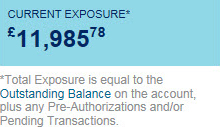
 Real-Time Exposure
View more up-to-date account information to manage toward a limit in real-time.
More comprehensive transaction and summary level data provide additional insights into programme spend.

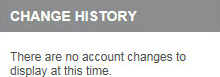
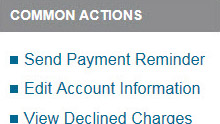 Access Account Change History
Additional account servicing details help to deliver more complete Account History.
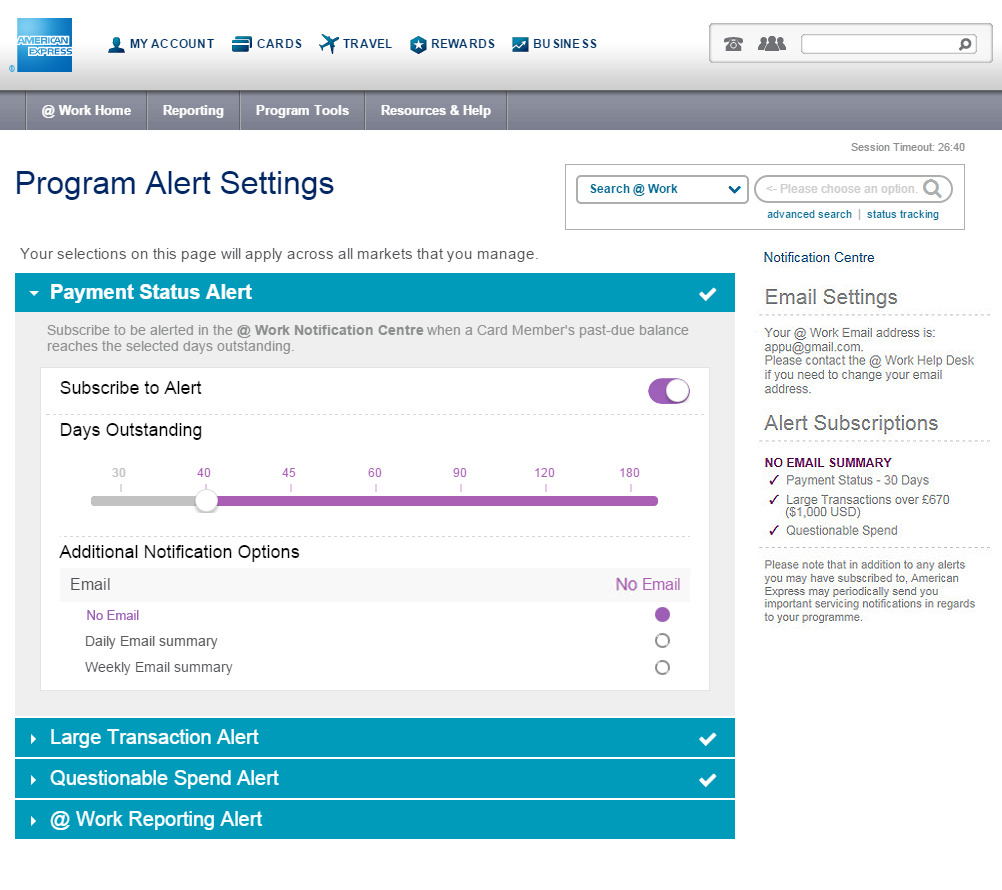
 Check mark indicates you have subscribed to this alert.
Displays the email address where your emails will be sent to. NOTE: To update email address contact local help desk.
No Check mark indicates you have not subscribed to this alert.
Check mark indicates you have subscribed to this alert.
Displays the email address where your emails will be sent to. NOTE: To update email address contact local help desk.
No Check mark indicates you have not subscribed to this alert.
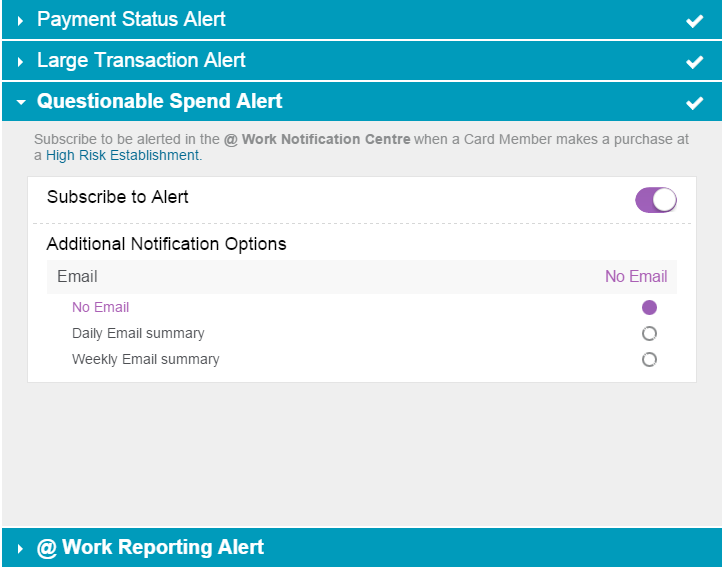
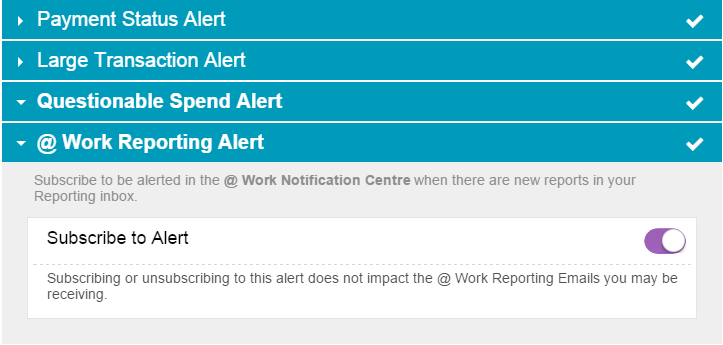
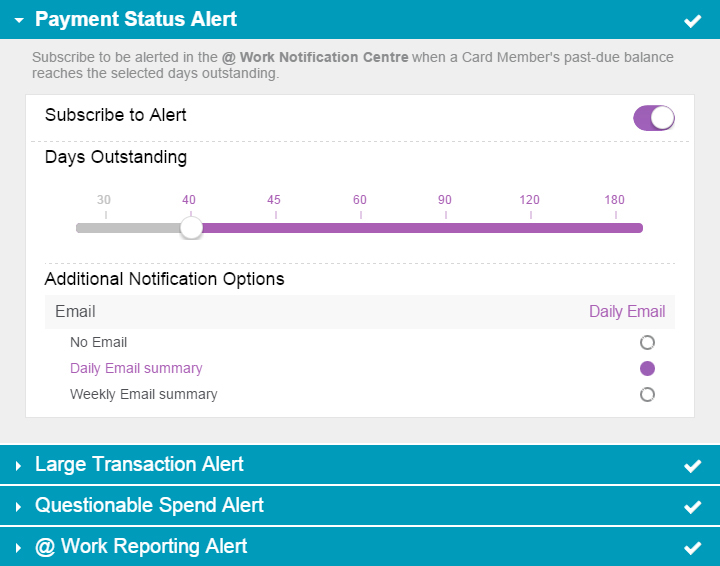
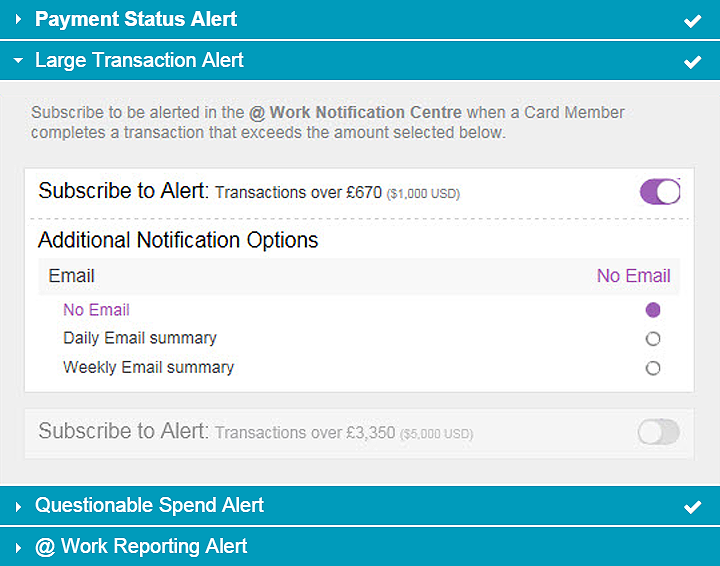
 Clicking the toggle button will subscribe you to the alert. When a new alert is ready to be viewed it will be posted in your Notification Centre.
Select to receive optional daily or weekly email alerts.
Clicking the toggle button will subscribe you to the alert. When a new alert is ready to be viewed it will be posted in your Notification Centre.
Select to receive optional daily or weekly email alerts.
 Only one Large Transaction alert can be subscribed to at a time; either transactions over £670 GBP ($1,000 USD) or over £3,350 GBP ($5,000 USD) for all markets.
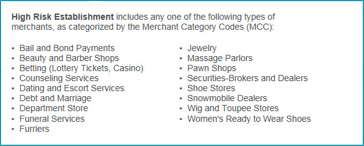
 High Risk Establishments in the Questionable Spend Alert are categorised according to the Merchant Category Codes (MCC).